
Withdraw Money from OnlyFans: All Methods in 2024
After successful registration and profile verification, it’s time to fill in your payment information. Withdrawing money from OnlyFans is available through four methods:
- Paxum
- Cosmopayment
- Visa Direct Transfer
- Skrill
I suggest we focus on just Paxum and Skrill. Cosmopayment is exclusive to EU citizens, and Visa Direct Transfer has a specific feature that doesn’t work for us (more on that below).
Add Payment Information to OnlyFans
To add payment info, go to Add Bank (To Earn):

To secure your account, the site will require you to enter a verification code. Click Send Code to My Email, go to your inbox, copy the code and paste it in the window, as shown in the screenshot:

And now you can choose your method for withdrawing money from OnlyFans:
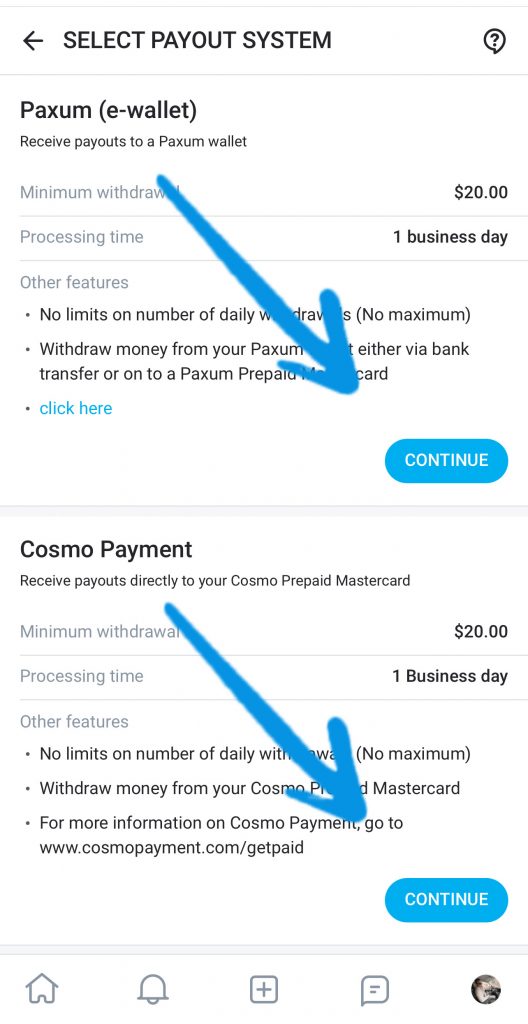

With Visa Direct Transfer, you’ll get the money directly to your card. But, the transaction description will show OnlyFans. Not in all countries working on OnlyFans is legal. If this applies to you, it’s better not to use this method.
Legal ways to withdraw money from OnlyFans
By ‘legal,’ I mean methods that can’t be traced back to OnlyFans as the source of the money. These include Paxum and Skrill.
Withdrawing money to Paxum
After selecting Paxum from the list of payment systems, you’ll be taken to a page where you need to enter the email associated with your Paxum account and save the info:
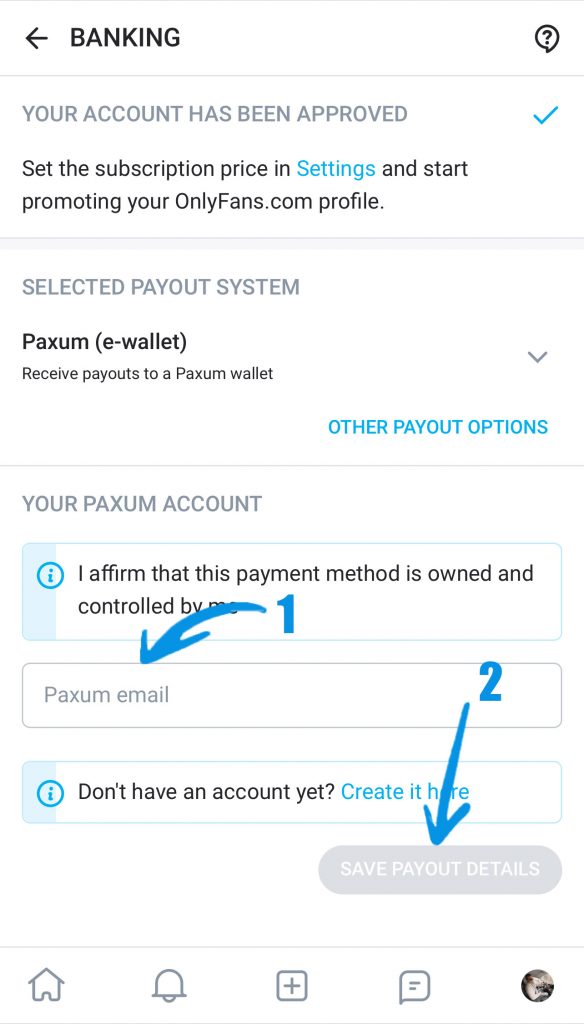
If you don’t have this wallet yet, there’s a link at the bottom where you can create one.
Keep in mind one important detail: the name and last name on OnlyFans and Paxum must match. If the OnlyFans account is registered to you, you can’t withdraw the funds to Grandma’s Paxum. This pretty much applies to any payment system.
withdraw money to Skrill
The situation with Skrill is similar. Select this payment system, click ‘Edit Information‘, and add the email associated with your Skrill account:
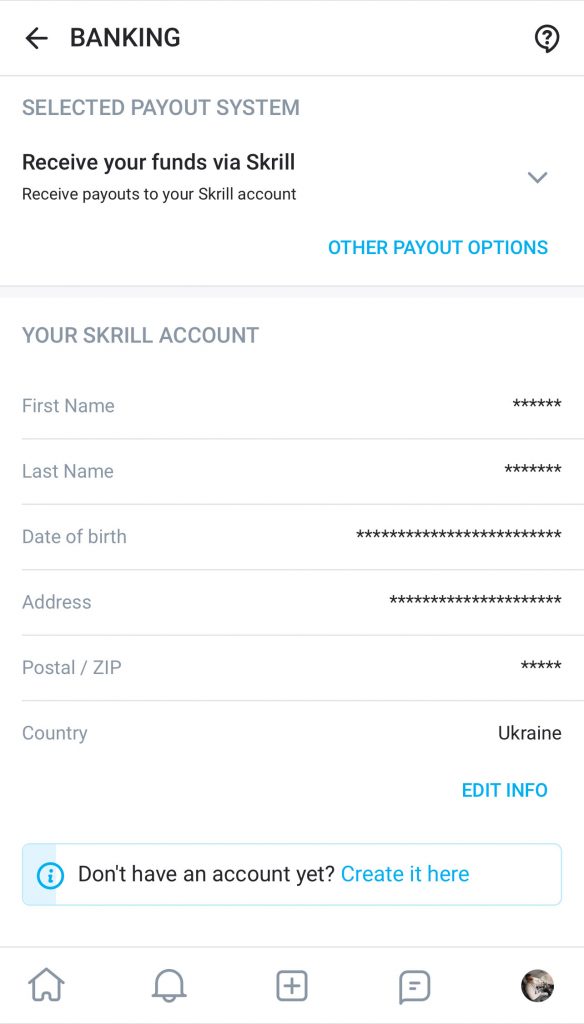
As you can see, you can’t just easily change the recipient’s information. If you need to, you can make changes through OnlyFans support.
How to get money from OnlyFans to your card
Paxum and Skrill support withdrawals to bank cards. To withdraw from Paxum to your card, go to the ‘Transfers‘ tab, then ‘Bank & Card Transfers‘ (in USA only Bank Transfer available):

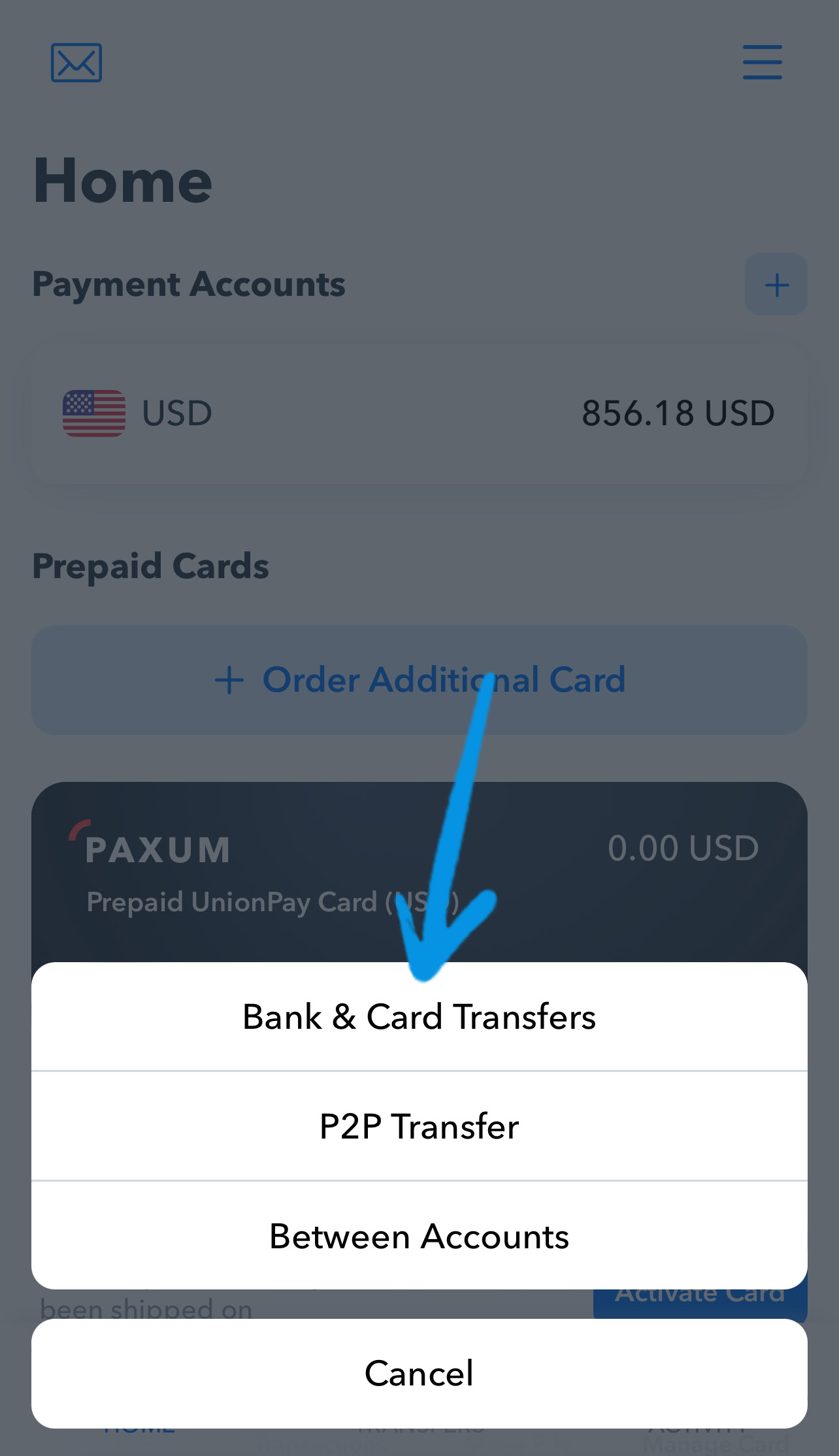
Choose the currency, withdrawal amount, and click ‘Enter Card Details‘ to input your card information:
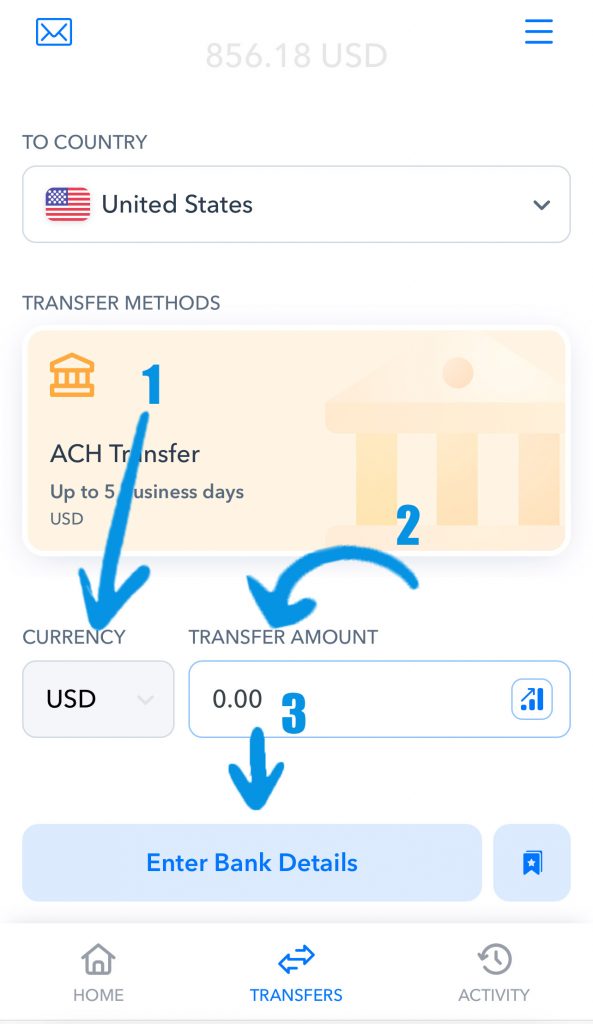
The transfer from Paxum to your card takes no more than a day, but it usually arrives instantly.
With Skrill, it’s also straightforward. Log into your account, click ‘Transfer,’ then ‘Transfer to Yourself‘ and ‘Add Bank Account‘:

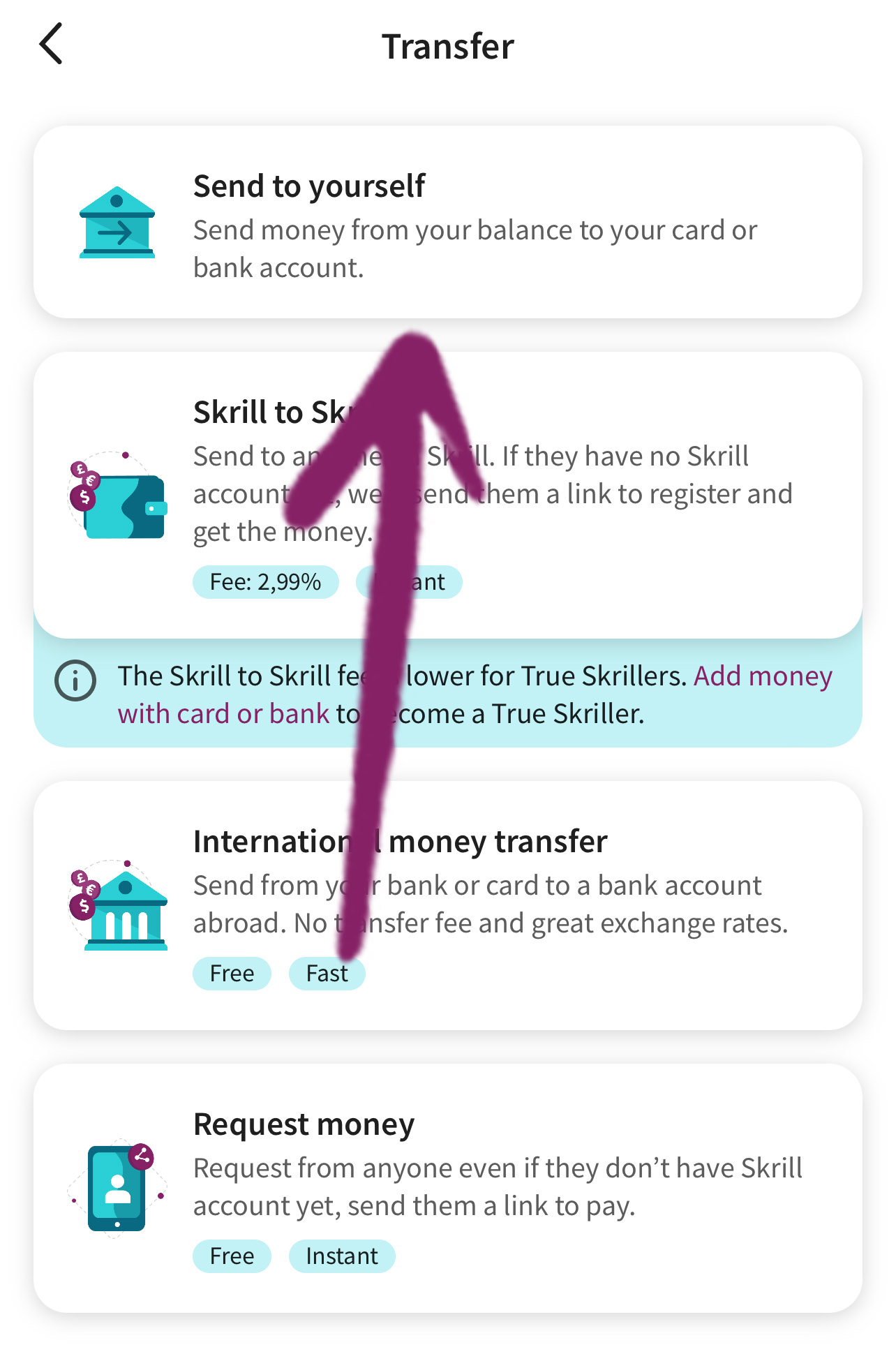

Enter your card details, and you can withdraw to it at any time.
Depending on your country of residence, these withdrawal methods may vary. I’m always here to help in the comments, and if you signed up through my referral link, feel free to hit me up directly on Telegram with any questions.