
OnlyFans Creator Sign Up
OnlyFans – a popular platform for earning money with your own content. It offers a wide range of opportunities for monetization and earning income. Let’s then take a look at how OnlyFans creator sign up works.
Step-by-Step OnlyFans Sign Up
The OnlyFans account sign-up process consists of the following steps:
1. Создать аккаунт
Complete the simple sign-up process
2. Подтвердить Email
Check your email inbox and confirm your email address
3. Добавить аватар и Био
Upload a photo for your avatar, header, and add Abut me information
4. Выбрать страну
Choose your country of residence
5. Верифицировать профиль
Upload your documents, take a selfie, and await verification
Creating an OnlyFans Account
Upon visiting the room signup page, you’ll see the following view:

Enter your Name (how to choose correctly), Email, and Password here. It’s entered only once, without a second confirmation, so be careful.
You can also sign up for OnlyFans using Twitter or Google. You can use this method if you’d like.
Email confirmation
Right after signing up on your OnlyFans profile page, you will see a message about the need to verify your email address:

Activating the creator (model) account
After the aforementioned steps, you can start following other models, but you can’t upload content to earn money just yet. To do this, you need to set up a creator account:

Now you will have the opportunity to add:
It’s important that the avatar features you specifically. Don’t download someone else’s photo from the internet. If needed, you can change your profile picture after the verification:

Onlyfans Verification
On OnlyFans, only adults are allowed to work. To ensure this, you’ll need to go through a page verification process. The verification process consists of three steps.
Choose your country of residence
First and foremost, OnlyFans will ask you to select your country. It doesn’t necessarily have to be the country where you currently reside. Choose the one for which you have documents (driver’s license, passport, or ID card):

Please note that at the time of writing this article, verification of users from Russia and Belarus is not carried out. If you have documents from one of these countries, look for another platform to work on.
Verification process
On the next step, you will see a message indicating that this verification should be done on a phone, not a PC or laptop:
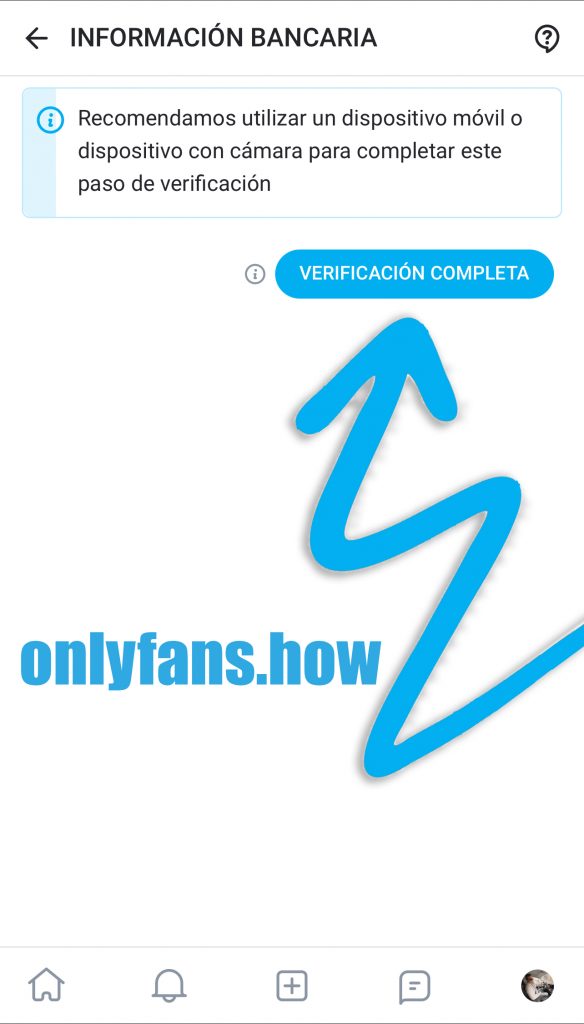
If you already signed up for OnlyFans on your smartphone, that’s great. If not, take your phone, log into your account, and click on Complete Verification. You will see the following message:
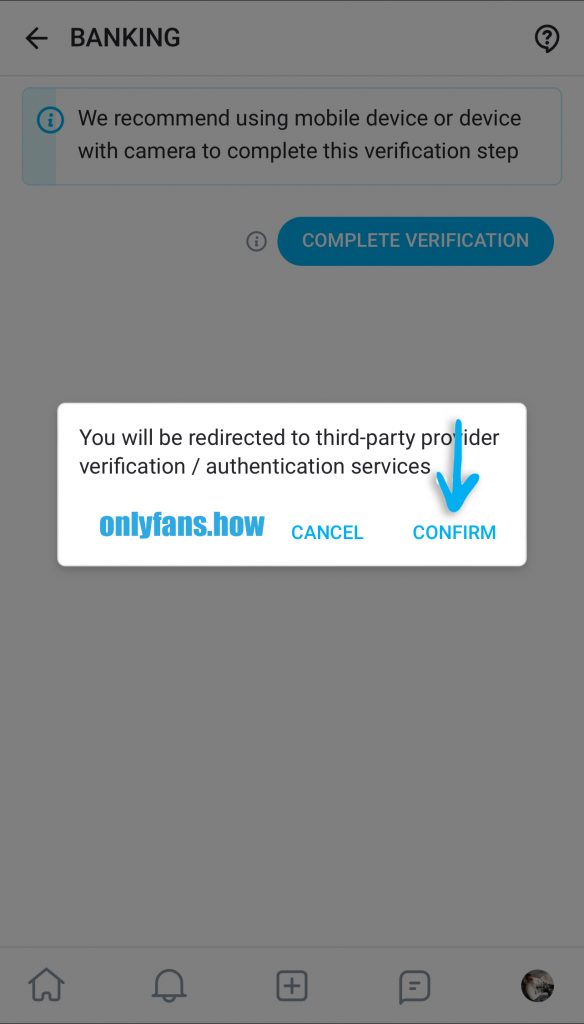
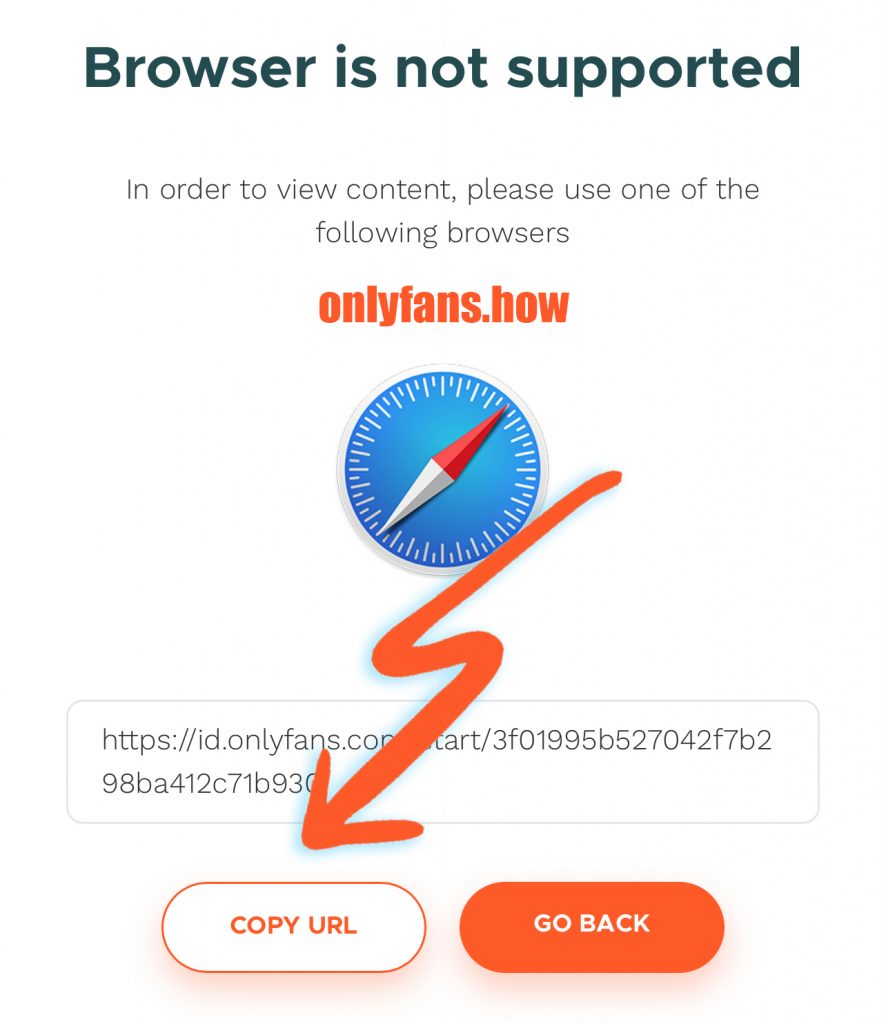
Click “Confirm,” and the verification service will open. I use the Google Chrome browser on iPhone, which this site doesn’t support. If you’re experiencing the same issue, copy the link and open it in Safari:
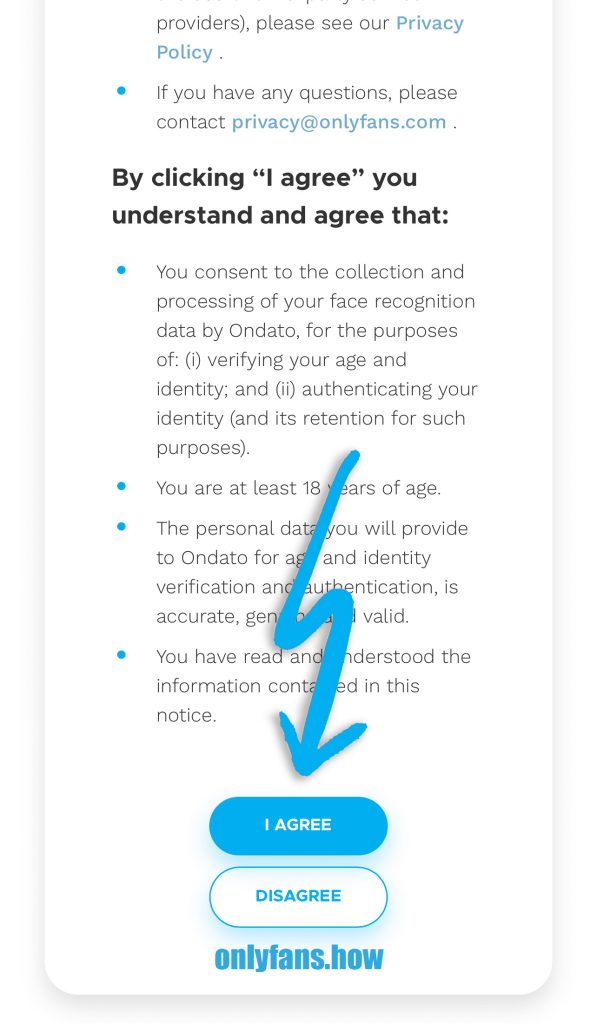
Give consent for the processing of personal data:
Choose the document you currently have on hand. Please note that when referring to a “passport,” it means a foreign passport with an MRZ (Machine Readable Zone) strip at the bottom of the page and information written in Latin characters:
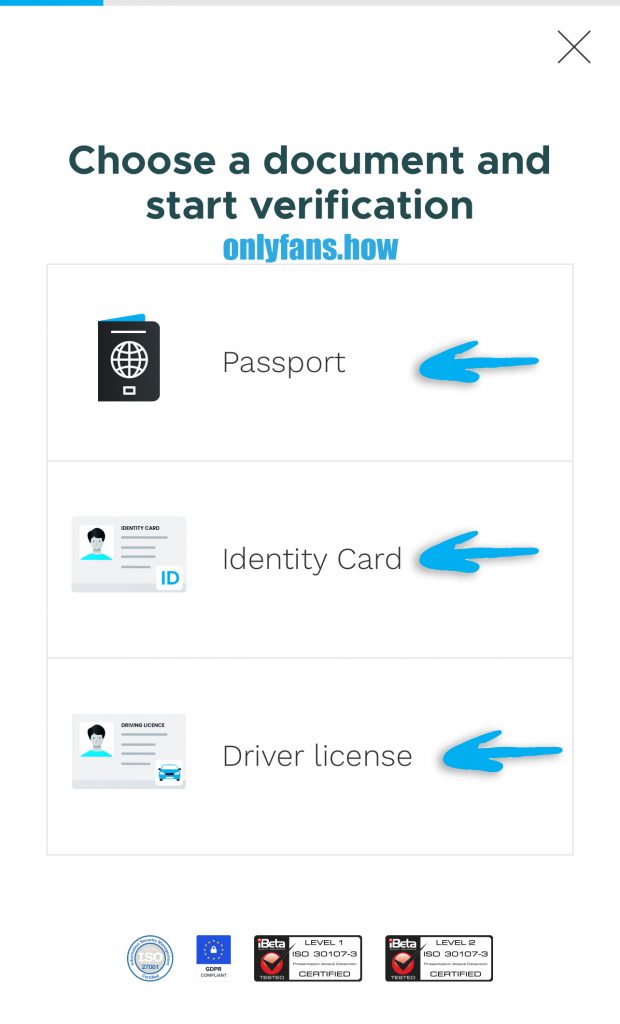
I selected a passport, but the procedure is the same for any document. Take it in your hands; you will need to take a photo of it now. Click Start:

Place your passport, ID, or driver’s license in the frame so that all edges are visible, and there are no reflections or glare:

Check the quality of the photo. If any information is difficult to read or there’s glare from the flash, retake the photo. If everything looks good, let’s proceed:

To ensure the website understands that you are submitting your own documents and not downloaded ones from the internet, you need to take a selfie. Place your face in the oval frame and follow the instructions:

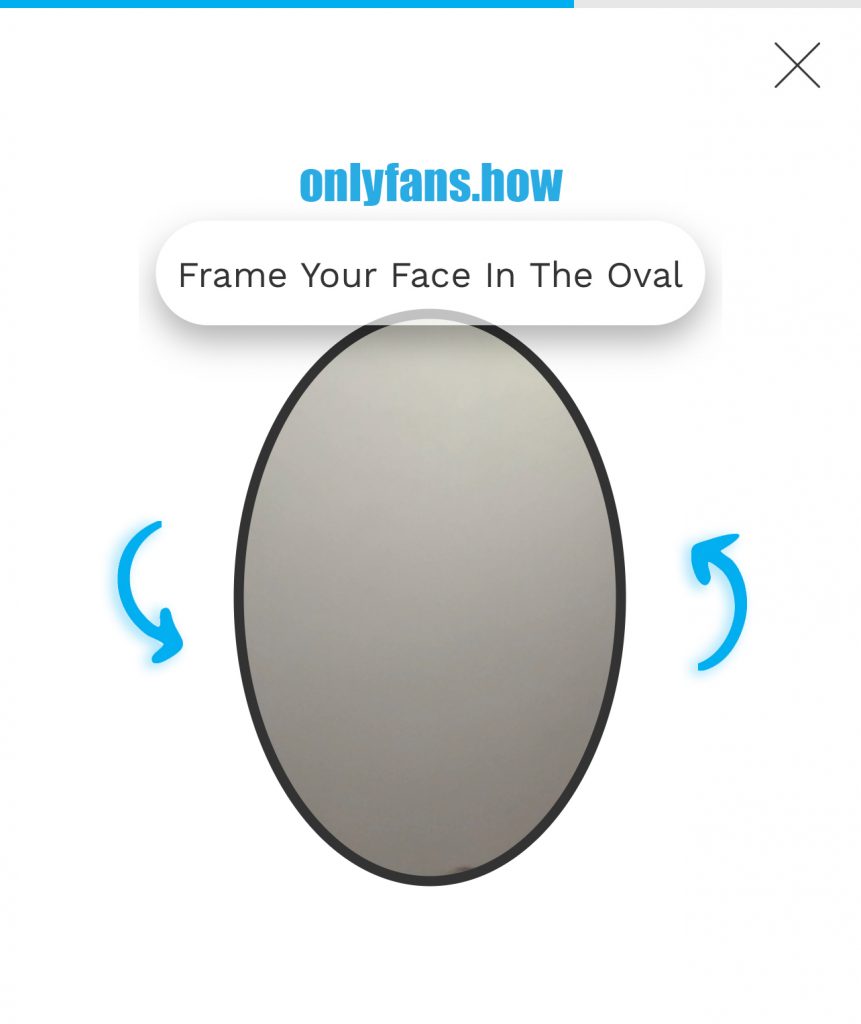
With this, the first part of the verification is completed. Click on the “X”:

Now, wait for a few seconds while your data is being verified, and then you can close Safari:


The second stage of verification
That was an automated check of the documents for potential forgery. Now, take a photo of your document on your phone and take a selfie holding this document next to your face.
Go to the Become a Creator page (to earn), add information about yourself, and upload these photos:

As you can see, the site has already pulled your name, surname, and country from your documents. You cannot change them. Fill out every field on this page. We will consider the moment of adding social networks separately.
To successfully complete the OnlyFans registration, it’s mandatory to leave a link to your Instagram. You can replace it with Twitter or specify another social network in the Other field. But if you have Instagram, it’s recommended to add it. With Instagram, your account will definitely be verified. If you don’t leave any social profiles, your account creation request will be rejected with a 100% probability.
Verification completion
With that, the OnlyFans account registration has come to an end. After uploading all your information, please wait for the administration to review and activate (or not) your profile. Usually, this process takes about 4 hours, but the website states 24-48 hours. The verification process may take longer if you go through it on weekends or holidays:

How to create a name on OnlyFans
A properly created name, among other things, can influence whether users want to subscribe to you, whether they will remember you among other OnlyFans models, whether you’ll be associated with someone, and much more.
In my experience working with models, one thing I’ve noticed is that a properly created name on OnlyFans increases the number of organically attracted subscribers in the long run.
Over time, people will start talking about you on the internet, discussing you, and even leaking content (that’s inevitable). However, by creating the right name, even leaks can work in your favor.
Real name or pseudonym
For the girls I take under my wing (full management of their pages, content, and promotion), we build their personal brand. In this case, the real name is typically used, or it may be replaced with another human name (pseudonym).
Good examples:
- Jailyne Ojeda Ochoa
- Free Oakley Rae (The word Free indicates that this is a page with a free subscription)
- Selena Stone.
OnlyFans Profile Name Creation Checklist
Before creating a name, we, as a team, ask ourselves the following questions:
- Does the model want to be recognized in public?
- Which market will we be promoting the model to (Europe and America, America only, CIS, or a specific country)?
- Does the model want to associate herself with her country or not?
- Does the person already have an audience on platforms like Instagram, TikTok, YouTube, and others?
- Is this person currently working as a webcam model?
- Will this be niche content?
If you will be working without production and handling promotion independently, you can add:
- Do I want to earn income from adult content for 5-20 years (regardless of whether OnlyFans will still exist by then) or for two to three years, while I am studying, saving for something, etc.?
Display name and Username
There are two types of names on OnlyFans—Display name и Username.
- Display name – the name that appears in your profile.
- Username – the address of your page, for example onlyfans.com/username
They should be the same or very similar. For example, for Jailyne Ojeda Ochoa – that’s her display name, while her username is jailyneojeda.
Recommendations for Creating a Name
Based on the answers to these questions, you can create your profile name. If you don’t want to be recognized in public, use a pseudonym rather than your real name.
If you’ve decided to promote yourself in America (USA and Canada) and Europe but want to associate yourself with your country, don’t use Liudmila Gasapchuck. Replace it with Lida Gasp or Mila Gasp. Users from other countries may find it challenging to read and pronounce names from your country, so simplify. If you want to associate yourself with another country, choose a name that is common there, for example, Sara Miller.
When creating a profile with niche content, you can insert its name as Mila Gasp BDSM.
Are you successful as a webcam model? Add your nickname to the name.
The last question is not something we ask in our agency because we do not work with individuals who do not intend to work on OnlyFans in the long term. If you want to work in this field for 5-20 years, you definitely need a human name on the site. Using names like Sweety Girl or Sabrina BigAss is acceptable only if this is just a side gig for you. It will be very challenging to seriously promote a profile with such a name. And if you don’t know how to do it, it’s virtually impossible.
Linking name to Social Media
I promise you, even if you’re thinking right now that you’ll promote your OnlyFans without social media and you don’t need them, sooner or later you’ll end up using them anyway. This has been tested on dozens of models I work with. So, just trust my expertise and get it right from the get-go, so you don’t have to rack your brain later figuring out how to fix things.
And getting it right means having the same username across all social media platforms:
- OnlyFans
- TikTok
For a quick check to see if the username you want is available, use the Namecheckr service.
Having the same handle across all platforms really streamlines the workflow for an OnlyFans model. What’s more, it’s a life hack, and I’ll dive into the details in a post about page promotion.
If you’ve already got a solid following on one or more social media platforms, use the same name when you sign up for OnlyFans.
Associating yourself with someone
You can often see models registering on Onlyfans and choosing a name similar to a celebrity. Usually it is a person from the world of Adult industry.
Associating yourself with someone is not the best idea. Firstly, you’re not building your brand, and you always remain in someone else’s shadow. Secondly, you depend on the reputation of the person you’re associating with, and you have no influence over it. Thirdly, it doesn’t give you any boost. There’s exactly zero point zero benefit from it, but there can be quite a bit of harm.
Is that all?
This is just the beginning. Here we have covered the main aspects of signing up for an OnlyFans account. To achieve success, I recommend you to familiarize yourself with how to properly set up your profile, understand the technical aspects of the website, choose your working strategy, learn how to withdraw your earnings, and how to gain subscribers.
If you have any remaining questions, feel free to ask them in the comments, and I will be happy to answer. If you have signed up through the links in this article and become my referral, feel free to contact me directly on Telegram.


